
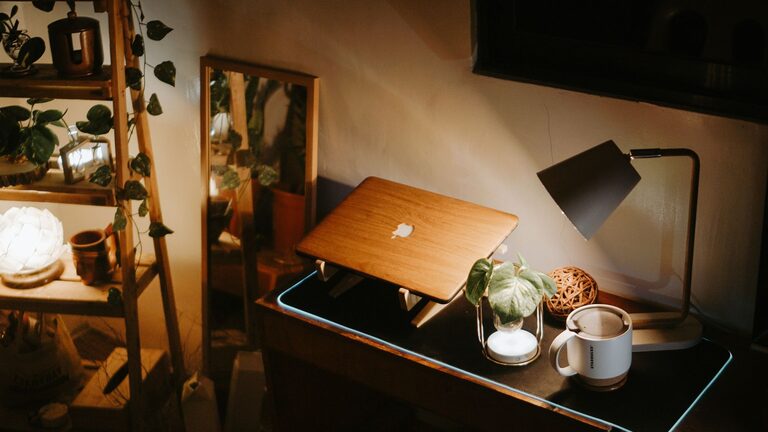
Creating a workspace at home that is both cozy and functional can greatly improve your productivity and overall well-being. Whether you work remotely full-time, need a spot for occasional projects, or simply want a quiet place to manage household tasks, having a dedicated area that feels comfortable and organized makes a big difference. Here are some helpful tips to design a home workspace that works for you.
1. Choose the Right Location
Your workspace’s location can impact your focus and comfort. Ideally, pick a quiet corner or a room with minimal distractions. Consider natural light—sitting near a window can boost mood and reduce eye strain. If space is limited, think creatively about unused areas like a nook, part of the living room, or under the stairs.
Factors to consider:
– Noise levels
– Lighting availability
– Privacy needs
– Accessibility to power outlets
2. Invest in Comfortable and Ergonomic Furniture
Comfort is key when you spend long hours at your desk. An ergonomic chair that supports your back and promotes good posture helps prevent discomfort. Pair it with a desk that’s the right height for working on a computer or writing.
Furniture tips:
– Adjustable chair with lumbar support
– Desk with enough surface area for your tasks
– Consider a standing desk or an adjustable sit-stand converter
– Footrest for added comfort
3. Optimize Lighting for Productivity and Ambiance
Good lighting reduces eye fatigue and creates an inviting atmosphere. Combine natural light with adjustable artificial lighting like desk lamps or overhead lights.
Lighting tips:
– Use soft white bulbs to create a warm ambiance
– Position your desk so the light shines over your shoulder rather than directly in your eyes
– Add task lighting for detailed work, like reading or sketching
4. Declutter and Organize
A clutter-free workspace encourages focus and creativity. Use storage solutions to keep your supplies and documents neatly arranged.
Organizational ideas:
– Drawer organizers or filing cabinets for papers
– Shelves or bookcases for books and reference materials
– Cable management tools to keep cords tidy
– Desk trays or containers for pens, notebooks, and small items
5. Personalize Your Space
Adding personal touches makes your workspace cozy and inviting. It helps you feel more relaxed and motivated to spend time there.
Personalization ideas:
– Photos or artwork that inspire you
– Plants for a touch of nature and better air quality
– A comfortable throw blanket or cushion
– A small diffuser with soothing scents
6. Minimize Distractions
Keeping distractions at bay can improve your concentration. If you share space with others, set clear boundaries about your working hours.
Tips to reduce distractions:
– Noise-canceling headphones or white noise machines
– A “do not disturb” sign during focused times
– Turning off notifications on devices not needed for work
7. Incorporate Technology Thoughtfully
Tech tools can enhance your efficiency but also add clutter or cause eye strain if not balanced well.
Tech considerations:
– Use a monitor with adjustable height and brightness
– Keep chargers and cables organized
– Position your screen to avoid glare
– Invest in a quality keyboard and mouse to reduce strain
8. Maintain Your Workspace Regularly
A tidy workspace requires ongoing effort. Set a routine to clean and organize your area at the end of each day or week.
Maintenance tips:
– Clear your desk surface daily
– File or discard unnecessary papers promptly
– Dust and wipe down surfaces regularly
– Review and rearrange items as needed to keep the space functional
—
Creating a home workspace that blends coziness with function is a rewarding project. By focusing on comfort, organization, lighting, and personalization, you’ll cultivate an environment that supports productivity and well-being. Remember, your workspace should reflect your needs and preferences, so feel free to adjust these tips to fit your unique situation. Happy decorating!